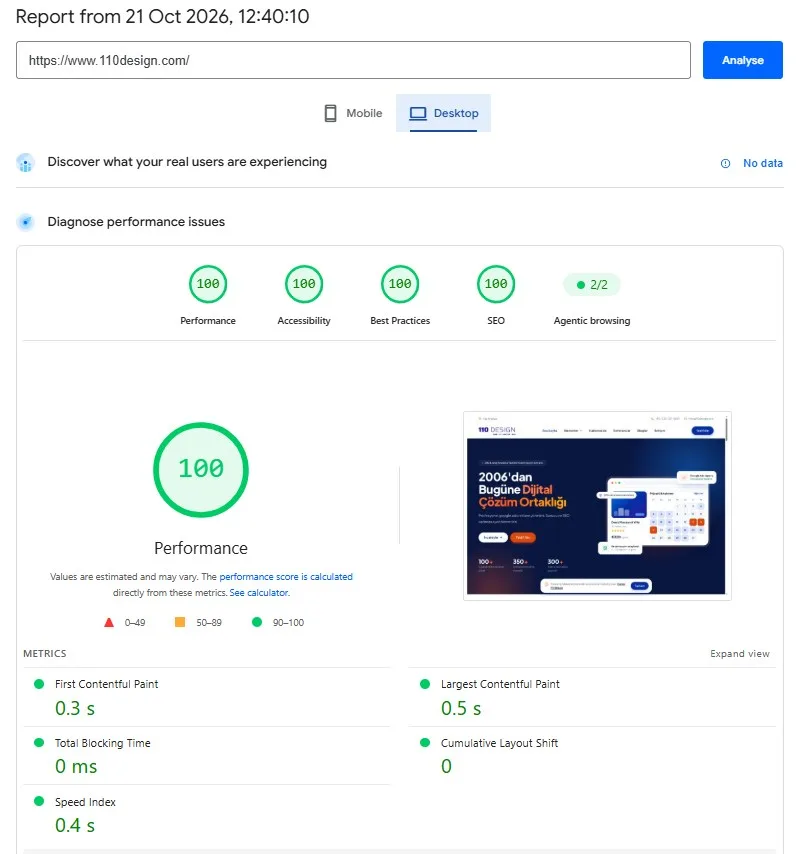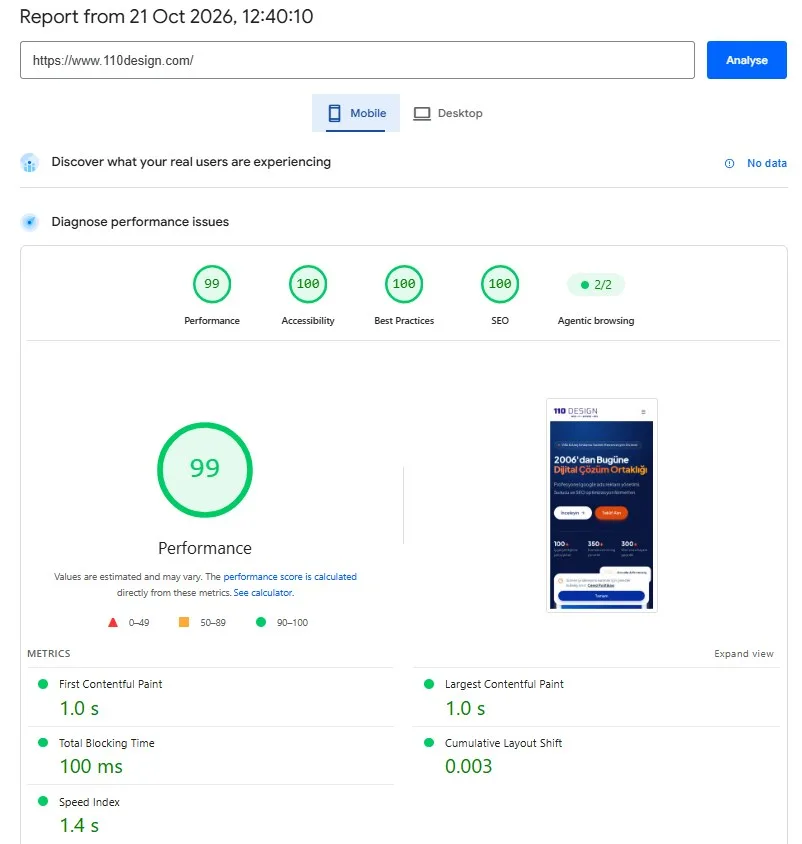
We fix websites' overall speed problems and raise their Google PageSpeed scores.

A slow website is like a shop with a jammed door: customers give up before they've even seen what's inside. Across the projects we've built since 2006, one thing has become clear: speed is no substitute for design and content, but it is the precondition for either of them being seen. At 110 Design, we don't improve your Google PageSpeed Insights scores by installing a plugin and moving on; we get right down into your site's code, images and server.
What Is PageSpeed Insights and What Does It Measure?
PageSpeed Insights (PSI) is Google's free tool for measuring how quickly a page loads and becomes usable. It gives separate results for mobile and desktop. Because the mobile test simulates a mid-range phone on a throttled connection, the mobile score usually comes out lower. The performance score runs from 0 to 100: 90 and above is considered "good" (green), 50–89 "needs improvement" (orange) and 49 or below "poor" (red).
The most important part of the report is a set of three measurements known as Core Web Vitals:
- LCP (Largest Contentful Paint): The moment the largest element on the page, usually the main photo or a large heading, appears on screen. 2.5 seconds or less counts as "good".
- INP (Interaction to Next Paint): How quickly the page responds when a visitor taps a button or picks a date from the calendar. 200 milliseconds or less counts as "good". INP replaced the older FID metric in March 2024.
- CLS (Cumulative Layout Shift): Content jumping out of place while the page loads, like a button slipping down just as you're about to tap it. 0.1 or less counts as "good".
Alongside these are lab metrics such as FCP (how long it takes for the first text or image to appear on screen), TBT (the total time the page can't respond to clicks because of heavy JavaScript) and Speed Index (how quickly the visible area fills in).
The 0–100 score in the report comes from a single, one-off test run by a tool called Lighthouse, in other words lab data. The "Core Web Vitals assessment" at the top of the report, on the other hand, reflects the experience of real visitors who have opened your site in Chrome over the last 28 days, in other words Chrome UX Report (CrUX) data. The lab test is ideal for finding problems, whereas Google's Core Web Vitals report in Search Console is based on real-user data. On sites with little traffic, the real-user data section may be empty.
Why Does Speed Matter to Your Visitors?
A holidaymaker looking for a villa or a hire car will usually visit your site on their phone, sometimes over patchy hotel Wi-Fi or mobile data. If the photos are slow to appear, the calendar is slow to respond to a tap, or the buttons keep moving about, visitors lose patience and hit the back button. Slowness is also a matter of trust: a heavy, laggy site makes people ask themselves "Can I trust this company?" just as they reach the booking or payment stage.
There are examples of this showing up in the figures, too. According to case studies on Google's web.dev site, the bus ticket booking site redBus saw a 7% rise in sales after improving its pages' responsiveness (INP), while Vodafone improved its LCP by 31% and increased sales by 8%. Results vary from site to site, but the trend is the same: speed has a positive effect on the number of completed forms and bookings.
The Effect on Your Google Rankings
Google states clearly that Core Web Vitals are used in its ranking systems. However, in Google's own words, the search engine always tries to show the most relevant content, even when the page experience is poor; in other words, content and relevance come first. Where speed makes the difference is in searches where similar content is competing: among the similar sites shown to someone looking for a villa to rent in Kalkan, the one offering a better experience can edge ahead.
Speed also has an indirect effect: on a fast-loading site, fewer visitors leave straight away and more of them browse further pages, which helps both your conversions and your search performance. Still, let's be honest: a site with a PageSpeed score of 100 is not guaranteed the top spot, and Google says so openly. Speed complements solid SEO work; it doesn't replace it.
Why Can't a Single Plugin Fix It?
There are plugins on the market promising "a score of 100 in one click". By compressing and caching files, they can lift your score a few points, but what really determines the result is how the site has been coded. Behind a slow page there are usually several causes at once:
- Themes and page builders: Page builders such as Elementor and multi-purpose themes load unused CSS and JavaScript on every visit.
- Render-blocking resources: The browser can't draw anything on screen until certain CSS and JavaScript files have downloaded.
- Images: Photos are the heaviest load on villa websites. WebP/AVIF formats, correct sizing and loading images further down the page only when they're needed (lazy loading) make a real difference.
- Fonts: Badly loaded web fonts can make text appear late or cause the page to shift.
- Third-party scripts: Analytics, live chat, map and advertising code are often the biggest culprits when it comes to slowing a site down.
- Server response time (TTFB), caching and CDN: If the page's first byte arrives late, front-end improvements alone won't be enough.
- Database queries: On dynamic pages such as availability calendars, price calculations and filtering, unoptimised queries can keep a page waiting for seconds.
That's why the right solution is sometimes to rewrite a page built on a heavy template using a lean structure. The work follows a "measure, fix, measure again" cycle, and one improvement can sometimes undo another metric; for example, accidentally applying lazy loading to the main photo makes LCP worse. Every site is different, so there is no ready-made recipe; it is a process that moves forward step by step.
How Does Our Process Work?
- Analysis and reporting: Using PageSpeed Insights, Lighthouse and, where available, Search Console data, we map out how critical pages such as the home page, villa/product detail pages and booking pages perform on mobile and desktop, and report the problems in plain language.
- Priority list: We rank the issues by "greatest impact, lowest risk", so we secure the quickest wins first without putting the way your site works at risk.
- Code and image optimisation: We strip out unnecessary CSS/JS, prioritise critical resources, convert and resize images, and tidy up fonts and third-party scripts. Where necessary, we recode the page structure.
- Server, caching and CDN: We tackle server response time, caching rules, compression and, where needed, CDN set-up, and we optimise database queries.
- Monitoring: Because the lab score can move by a few points from one test to the next, we look at the overall trend. Real-user data covers a 28-day period, so it takes a few weeks for improvements to show up there; after that, we carry out regular checks to make sure a new plugin or script doesn't drag your scores back down.
Case Study: kiralikvilla.com
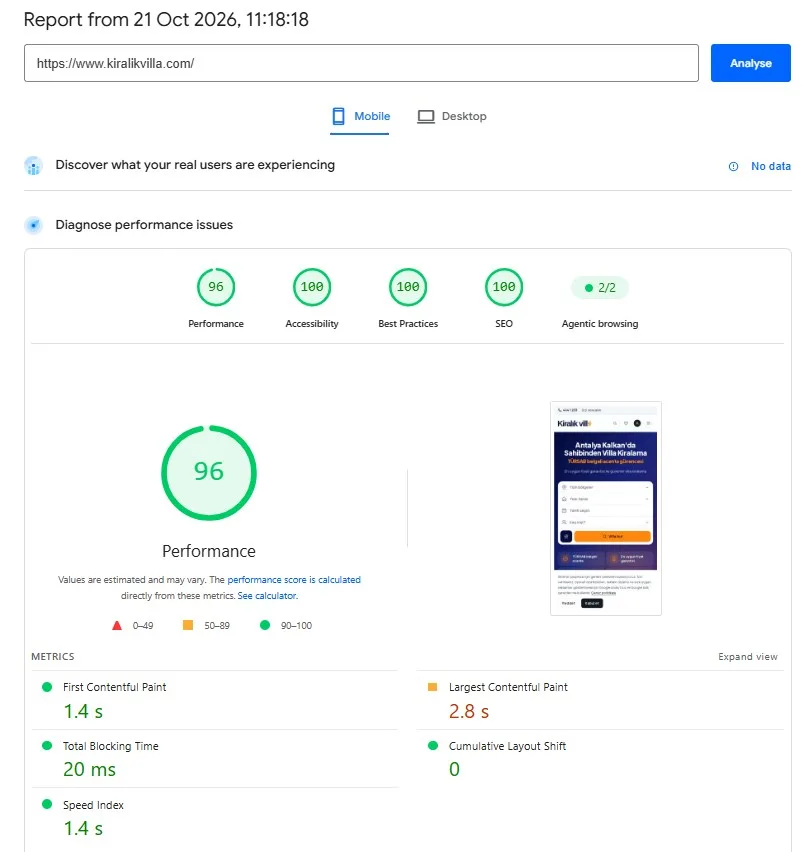
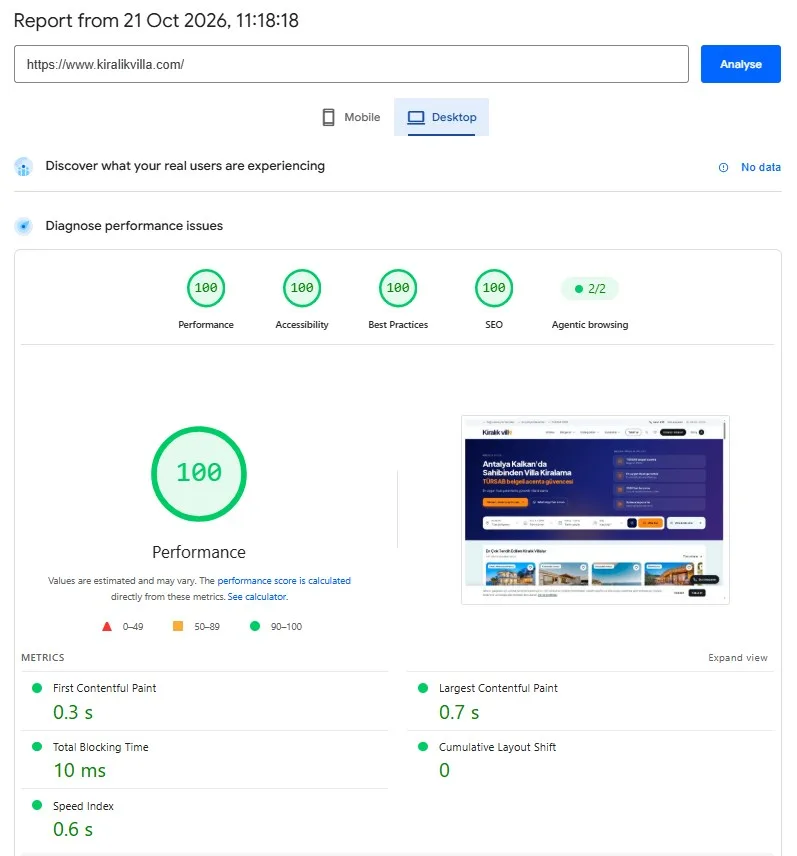
Developed by 110 Design, kiralikvilla.com is a demanding site in terms of speed, with photo-rich villa pages and a booking system. PageSpeed Insights results from 21 October 2026:
Mobile
- Scores: Performance 96 · Accessibility 100 · Best Practices 100 · SEO 100
- Metrics: FCP 1.4 s · LCP 2.8 s · TBT 20 ms · CLS 0 · Speed Index 1.4 s
Desktop
- Scores: Performance 100 · Accessibility 100 · Best Practices 100 · SEO 100
- Metrics: FCP 0.3 s · LCP 0.7 s · TBT 10 ms · CLS 0 · Speed Index 0.6 s
To be clear: on mobile, an LCP of 2.8 seconds is slightly above the 2.5 seconds Google considers "good", and we are still working on the mobile side to bring it down. In other words, the job isn't finished, even at a score of 96.
Pricing and Free Initial Analysis
It wouldn't be right to quote a fixed package price for performance optimisation: a site that can be sorted out with a few tweaks doesn't take the same effort as one whose page structure needs rewriting. That's why we first review your site free of charge, then send you our quote together with recommendations covering where things stand now and a realistic target. Simply send us your website address by phone, WhatsApp or the enquiry form.